P2P Streaming
Home / Ezserver
Broadcast channels and movies via C3S Gateway streaming to any player on Android and iOS platform.
C3S --- P2P Streaming with any player.
Version 1.0.0
Introduction
Broadcast channels and movies by P2P Streaming via C3S Gateway to any player, not proprietary player, on Android and iOS platform to save server bandwidth.
Table of Contents
Restream streams into internet by C3S to save server bandwidth, C3S has benefits as below:
-
Just use single server without load balancers for current streaming.
-
Save main server bandwidth
-
support any player
C3S is abbrev. for Content Self-Sharing Streaming
-
C3S lets Ezserver simultaneously support P2P, unicast and multicast streaming in single Ezserver.
-
C3S shares channels and videos among players via single Ezerver and multiple C3S Gateway.
-
C3S is for any player, not to use proprietary players.
-
C3S Gateway is installed into any Android device to act a seed, then you can use any player to play channels and movies from C3S Gateway.
-
Features
-
Support any player.
-
Share personal videos without uploading, not as youtube.
-
Share channels without restreaming
-
Reduce server bandwidth and CPU loading
-
C3S concept uses C3S gateway in Android to achieve P2P streaming among single Ezserver and multiple C3S Gateway to reduce server bandwidth to play channels and videos on any player.
The following figure shows the components of an C3S.
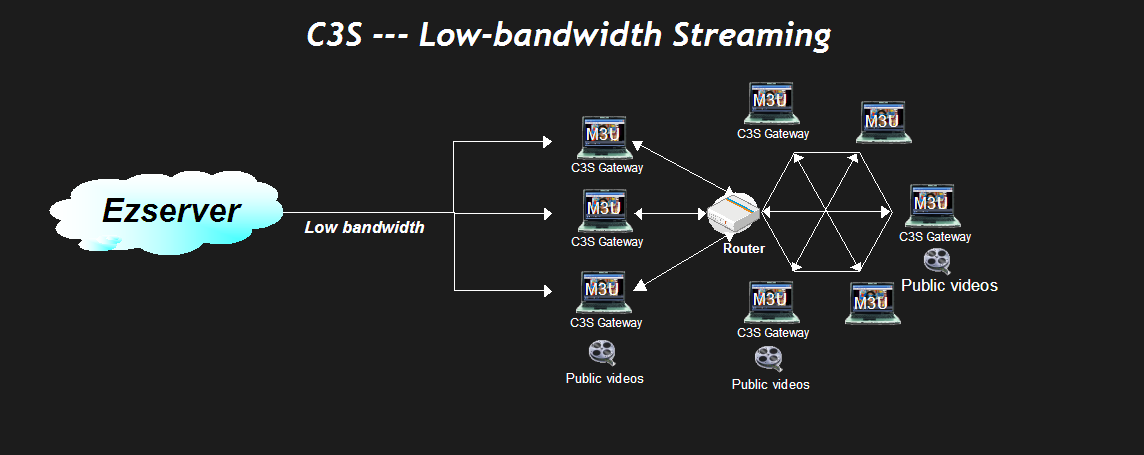
you can share public videos to others without video upload into server. and add, delete videos anytime
C3S components contain:
-
Ezserver is a streaming server on Linux server
-
C3S Gateway is a C3S streaming gateway on Android devices for any player in Phone, STB, Tablet, Smart TV.
-
Players
-
Ezserver:
Debian 8, 9 (Recommended), Ubuntu 14, 16, Centos
-
C3S Gateway:
-
Android 5.0+
-
-
Ezserver:
1 Core(1.2xGHz)
RAM 1GB
Network Card: 1G Base
Storage:150MBytes
-
C3S Gateway:
-
CPU: 1G.
-
RAM: 1GByte
-
Wifi: 1GB
-
Phone: 4G / 5G
-
-
Go to Google Player to search Ezserver
-
Directly install it.
-
Open a virtual server or set port forwarding in local router to let Ezserver reach C3S Gateway.
-
Click APP icon to start it to see the splash screen.
-
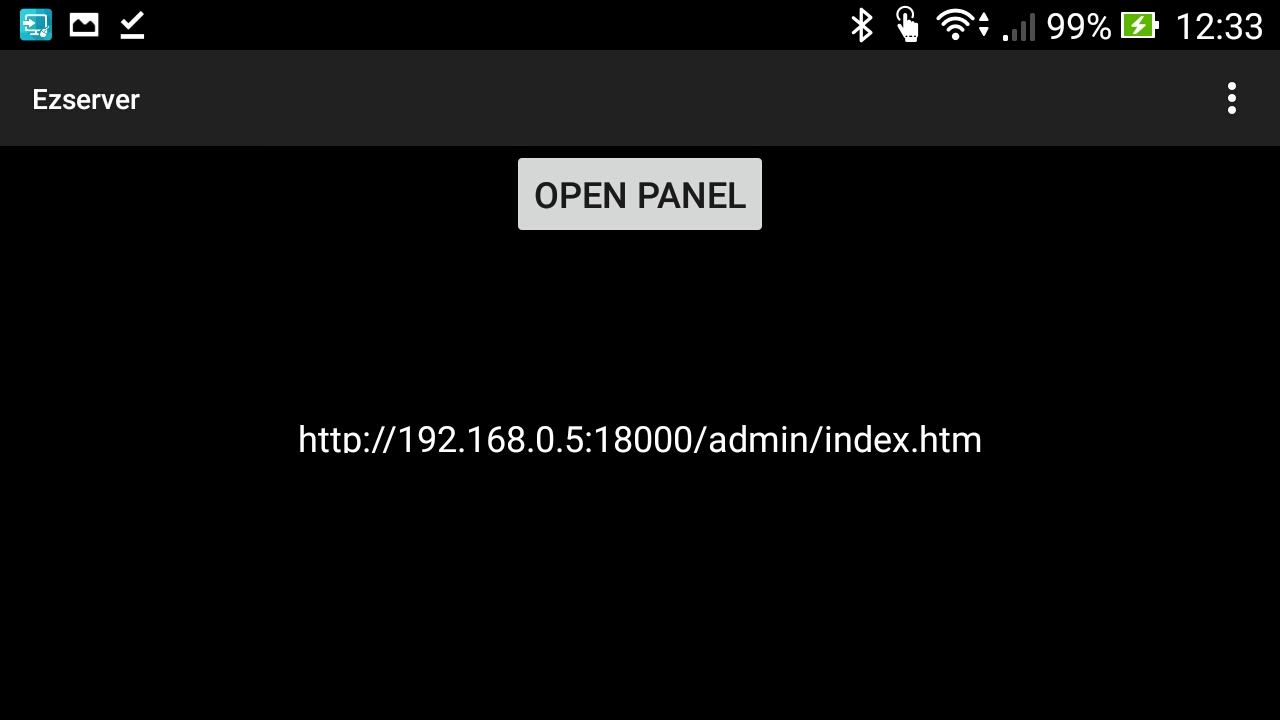
See Open Panel Button after C3S Gateway Starting:
-
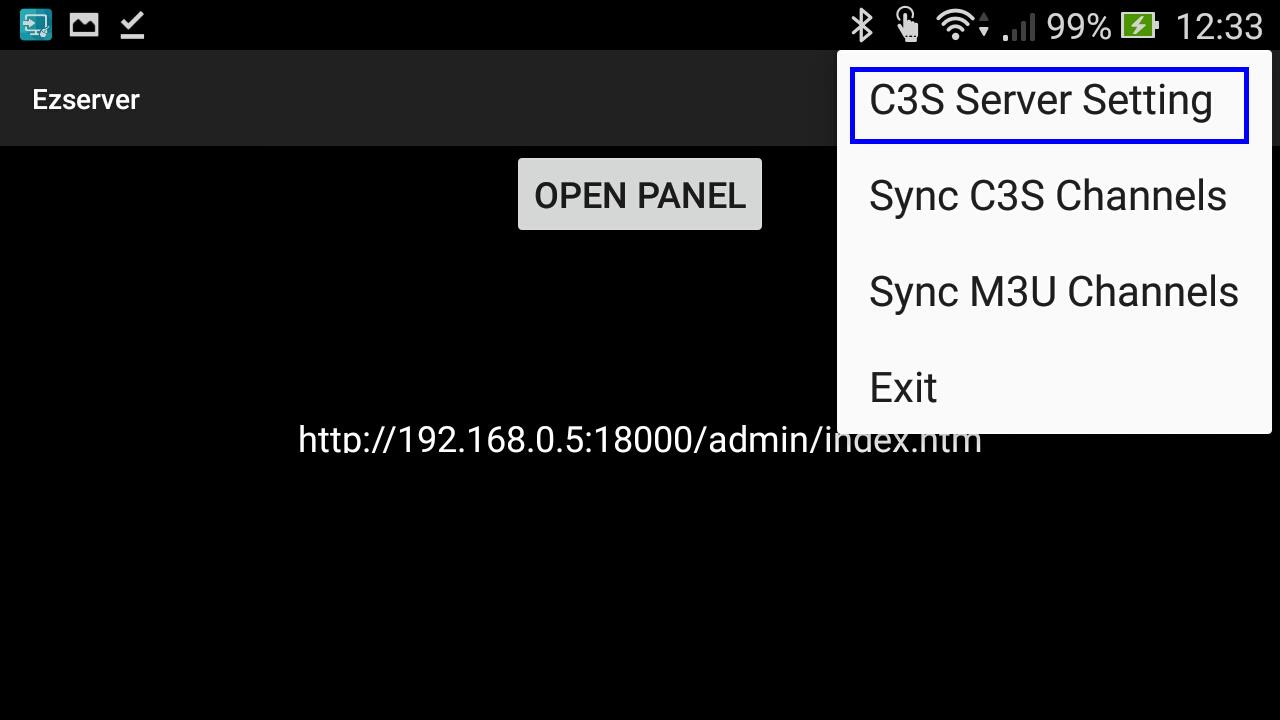
Click Tripe dots to see menu
-
Click "C3S Server Setting" to set Ezserver IP, port and username/password:
-
Close App and restart it again.
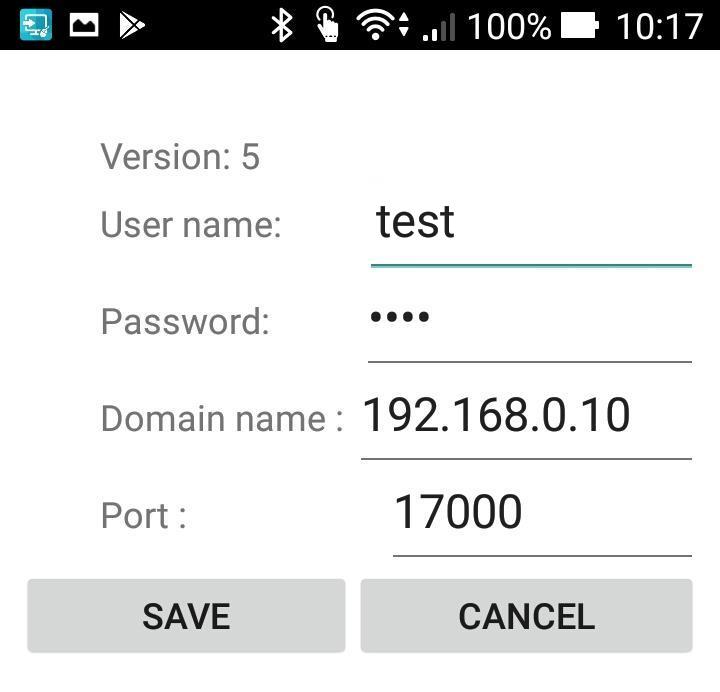
-
Login Ezserver panel to add "test" user.
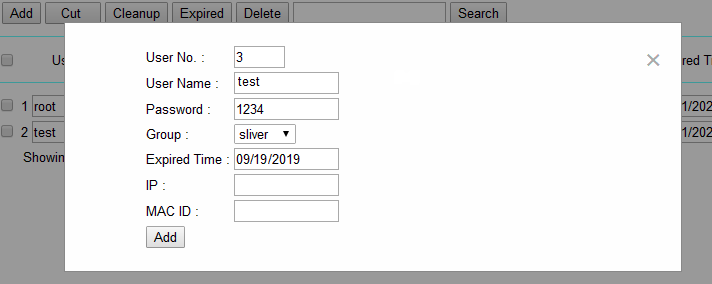
-
Login Ezserver panel to check it in Balancer window as below:

-
Open a virtual server with port 17000 and tcp in local router to let Ezserver reach C3S Gateway.
-
Click "Sync C3S Channels" to get all channels from Ezserver, then click "Open Panel" to check channels.
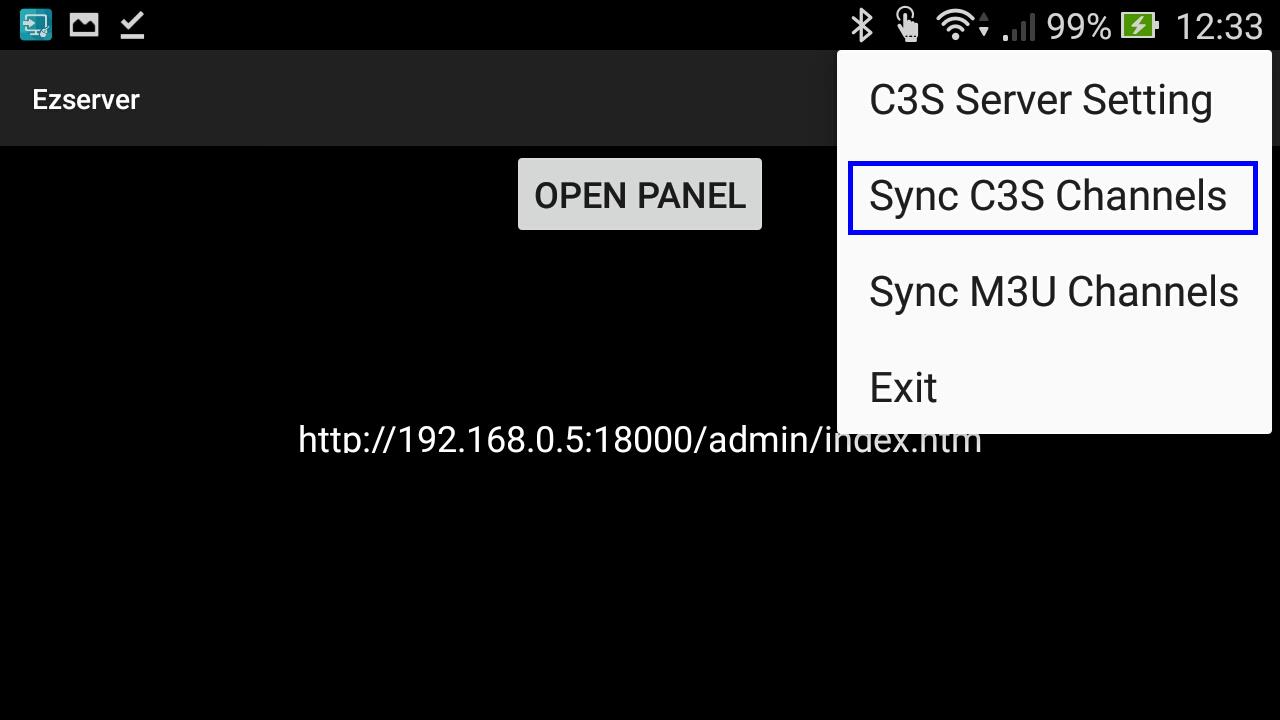
-
Click "Sync M3U Channels" to get all channels from Ezserver.
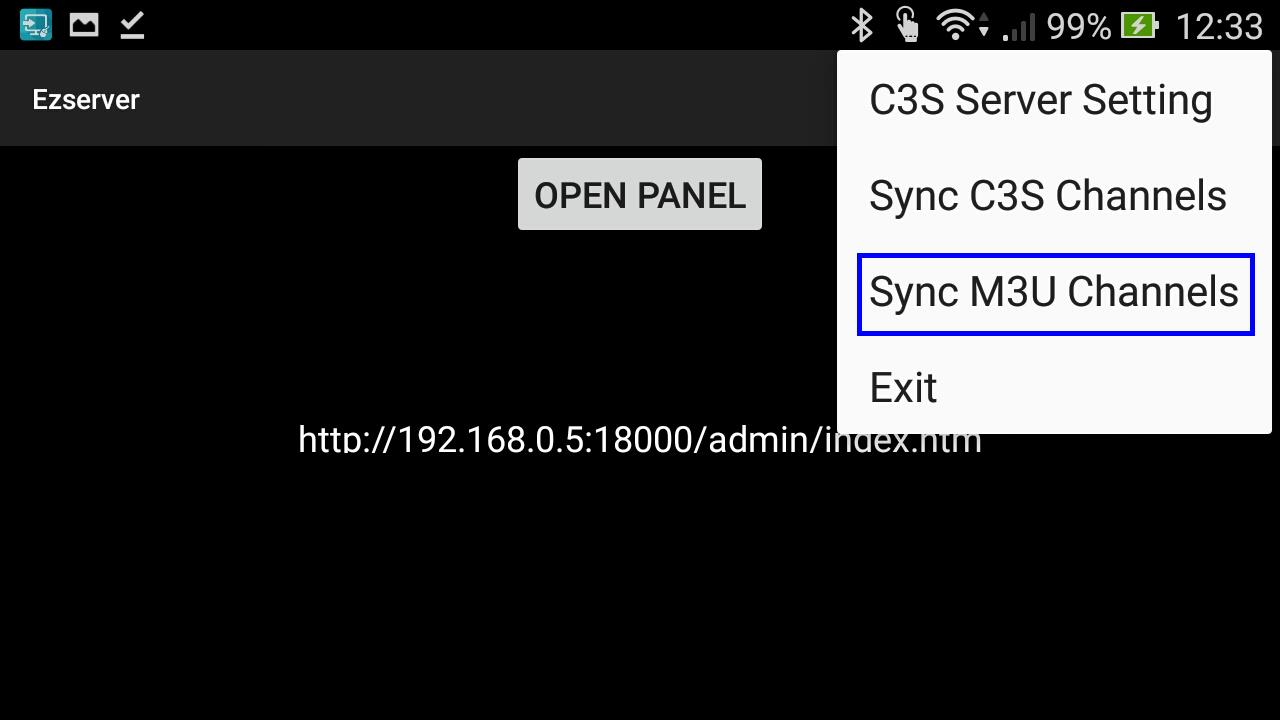
-
Input M3U URL as http://192.168.0.10:8000/get.php?username=test:password=1234

-
When C3S Gateway App exits, It will disappear in Balancer window.
C3S Example 1: (Setup new C3S P2P service)
-
Install Ezserver in Linux Server
-
IP: 192.168.0.10
-
API Port is 17000
-
Add new user : test, password: 1234
-
-
Install C3S Gateway in a STB (IP: 192.168.0.8).
-
Set C3S server IP: 192.168.0.10, Port: 17000, username: test, password: 1234
-
-
Use VLC in a android phone (IP: 192.168.0.6)
-
Add URL: http://192.168.0.10:17000/getlink?username=test:password=1234:type=m3u:content=master_channel
-
C3S Example 2: (Add C3S P2P into your IPTV service)
-
Install Ezserver in Linux Server
-
IP: 192.168.0.10
-
API Port is 17000
-
Add new user : test, password: 1234
-
-
Install C3S Gateway in a STB (IP: 192.168.0.8).
-
Set C3S server IP: 192.168.0.10, Port: 17000, username: test, password: 1234
-
-
Click "Sync M3U Channels" to input M3U URL of your IPTV Panel (IP: 192.168.0.12).
-
http://192.168.1.12/get.php?username=test&password=1234&type=m3u
-
-
Use VLC tp play channel by the below URL in a android phone (IP: 192.168.0.6)
-
Add URL: http://192.168.0.10:17000/getlink?username=test:password=1234:type=m3u:content=master_channel
-
-
Q1: if we use your iptv Ezhometech C3S panel installed in my server , then all my client device will share streaming without making server cpu busy?
-
Ans: Correct.
Appendix A: Revision History
| Version | Date | Notes |
| 1.0.0 | 2019-08-25 |
First Draft |
| 1.0.1 | 2019-10-27 |
C3S Integrated in Ezserver |